01
Unnecessary on-site deployments
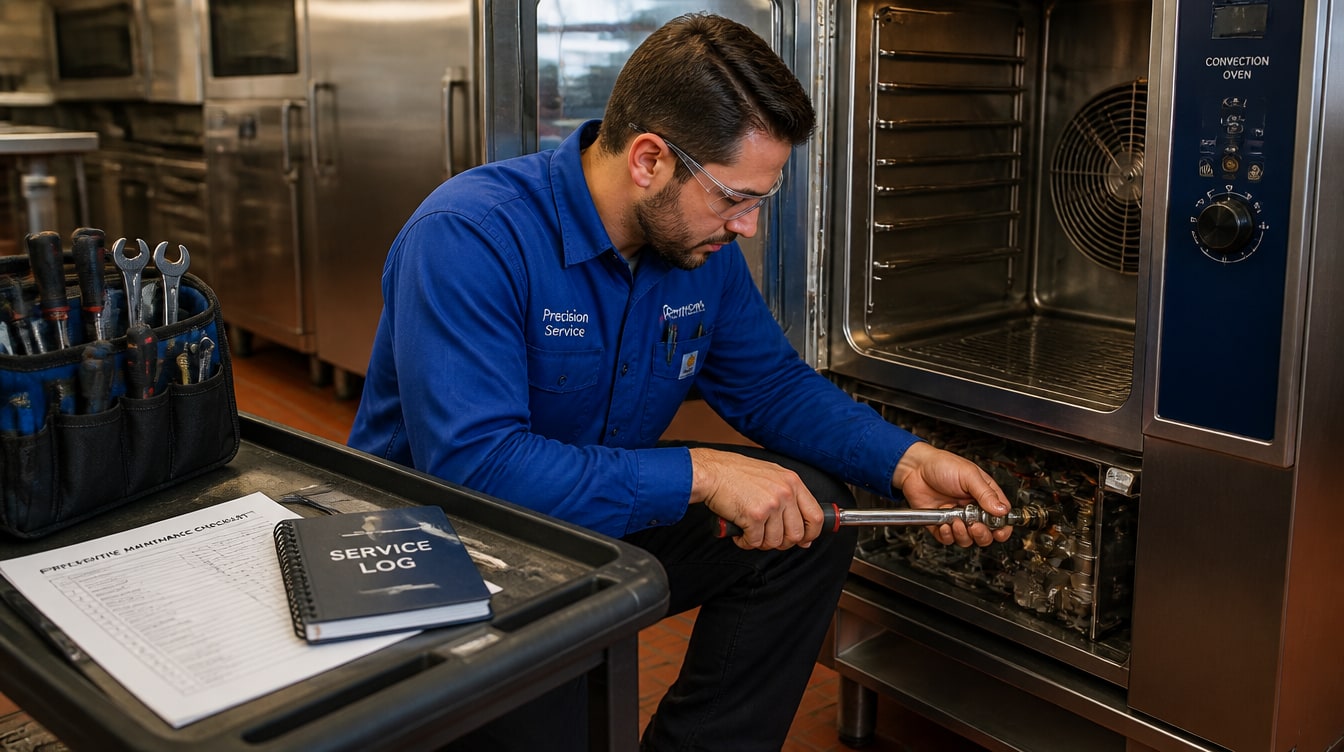
Many issues like threshold adjustments, updates, or misconfigurations could be resolved remotely—but still require travel and technician time.
Industries
Kibi Scada gives service partners a central control platform for all client tenants — with remote diagnostics, alerts, and proactive maintenance in one interface.

Quick demo

Your demo contact
Christofer Wesseling
Christofer shows Kibi Scada live on your equipment and answers all questions about integration.
In traditional large-scale catering services, you respond to calls and often set off before the actual problem is even clear. That’s exactly where Kibi Scada comes in—with transparency, early warnings, and remote access.
Many issues like threshold adjustments, updates, or misconfigurations could be resolved remotely—but still require travel and technician time.
Without remote access, you often only see the condition of your equipment on-site. Preparing a diagnosis or planning spare parts in advance is nearly impossible.
Silent deterioration goes unnoticed until a device fails. Then you’re forced to react under pressure instead of planning ahead and acting cost-effectively.
Kibi Scada provides you as a service partner with the tools to support your customers faster, more efficiently, and more proactively.
Access diagnostic information remotely: connection status, signal strength, battery status, firmware version, operating hours, and error logs. This allows you to identify and resolve many issues without having to travel to the customer.
Adjust device parameters directly via the dashboard: change thresholds, configure measurement intervals, and modify alarm rules. Centrally distribute firmware updates to individual devices or entire device groups.
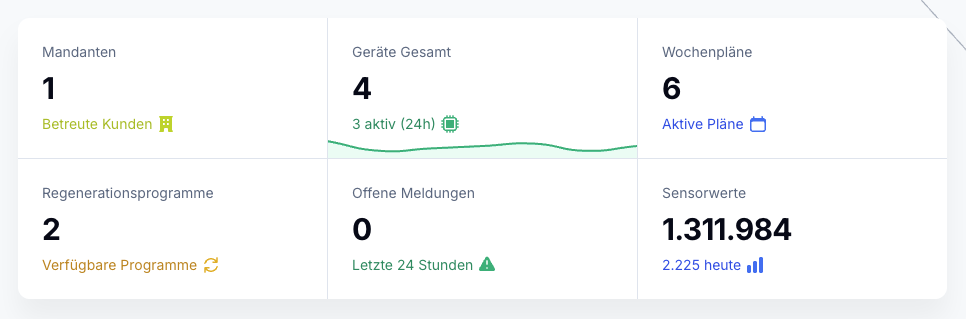
Manage all your customers in a single dashboard. The tenant overview gives you an instant view of the status of all customer locations. When alarms occur, you’ll immediately see which customer is affected and can jump straight to the detailed view.
Spot issues before your customers do. Trend analysis and anomaly detection reveal gradual deteriorations, so you can act proactively. This reduces emergency call-outs and boosts customer satisfaction.
Capture customer kitchens directly on-site with your smartphone: devices, photos, and key details are recorded in a structured inventory. This allows you to calculate the license requirements and provide them to the customer as a device list or via a shareable link—a clean start for every project.
Handle many tasks remotely: configurations, updates, diagnostics. This saves travel costs, technician hours, and CO₂. Your margins improve. Calculate it yourself.
Solve problems in minutes instead of days. Remote diagnostics and configuration—no on-site appointment needed. Your customers will be impressed.
Spot issues before the customer calls. Trend analysis and alerts turn your service into a proactive one—building trust and customer loyalty.
Kibi Scada lässt sich über offene Schnittstellen in Ihre bestehende Service-Infrastruktur einbinden. Ticketing systems, ERP software, or your own customer management system—our REST API and MQTT interface make integration effortless.

As a service partner, you manage many different customers. Kibi Scada lets you handle all customers in a single system while keeping their data strictly separated. You get an overview of all customer locations, but can also dive into individual tenants as needed. Each customer sees only their own data.
Generally, all devices connected to Kibi Scada via a gateway: refrigeration and freezer units, combi steamers, meal distribution trolleys, dishwashers, and other large-scale kitchen equipment. You can remotely view connection status, signal strength, battery status, firmware version, operating hours, and error logs. The exact range of functions depends on the device integration.
Kibi Scada detects gradual changes that indicate impending defects: A refrigeration unit that cools more frequently and for longer periods may signal seal issues. Increasing temperature deviations can point to aging coolant. These trends are visualized on the dashboard, allowing you to take proactive action—before the customer even notices a failure.
Yes, you can store custom service-level agreements for each customer and monitor their compliance directly in the dashboard. Kibi Scada tracks response times, availability, and alarm handling times. At the end of each month, you’ll receive an automated SLA report per customer, which you can use as proof of performance.
With the Kibi Scada dashboard, you can remotely adjust device parameters: change temperature thresholds, modify measurement intervals, configure alarm rules, and distribute firmware updates. Changes are securely transmitted to the device via an encrypted VPN connection. All configuration changes are logged in the audit log.
Many service partners report a reduction in on-site visits of 40 to 60%. For a service partner managing 50 or more locations, this translates into savings of several thousand euros per year in travel and personnel costs alone. At the same time, customer satisfaction increases thanks to faster response times. Calculate your specific case yourself in the Kibi SCADA savings calculator.
Yes, with the role-based permission system, you can set up a dedicated login with individual access rights for each customer. Customers will then only see their own devices and data, while you, as the service partner, retain overarching access. This ensures transparency without losing control of your administration.
All connections are end-to-end encrypted (AES-256 VPN). Access to remote maintenance functions requires authenticated login with role-based permissions. Every remote access is fully logged in the audit log: who accessed which device when, and what changes were made. This builds trust with your customers.
Yes. With digital inventory, you capture a customer’s kitchen directly on-site using your smartphone—devices, photos, and key details in a structured list. This allows you to calculate the license requirements and provide the customer with a device list (PDF) or via a shareable link. This way, projects start with a clean data foundation instead of paperwork.
Discover in a personal demo how Kibi Scada makes your service organization more efficient – with remote maintenance, remote diagnostics, and multi-tenant management.
Persönlicher Ansprechpartner
Christofer Wesseling
Founder & Managing Director · Weslink GmbH
We show Kibi Scada live on your equipment, advise you personally on integration and onboarding, and support the rollout in your operation.
Last updated:
All prices plus VAT. | Offer is aimed exclusively at commercial customers (B2B).
Kibi Scada processes your data in compliance with GDPR on servers in Germany.