
Solution · Organizational Management
Multi-site and branch operations without Excel chaos
Kibi Scada structures multi-site operations in a tenant model: separated data, central control, clearly defined permissions.
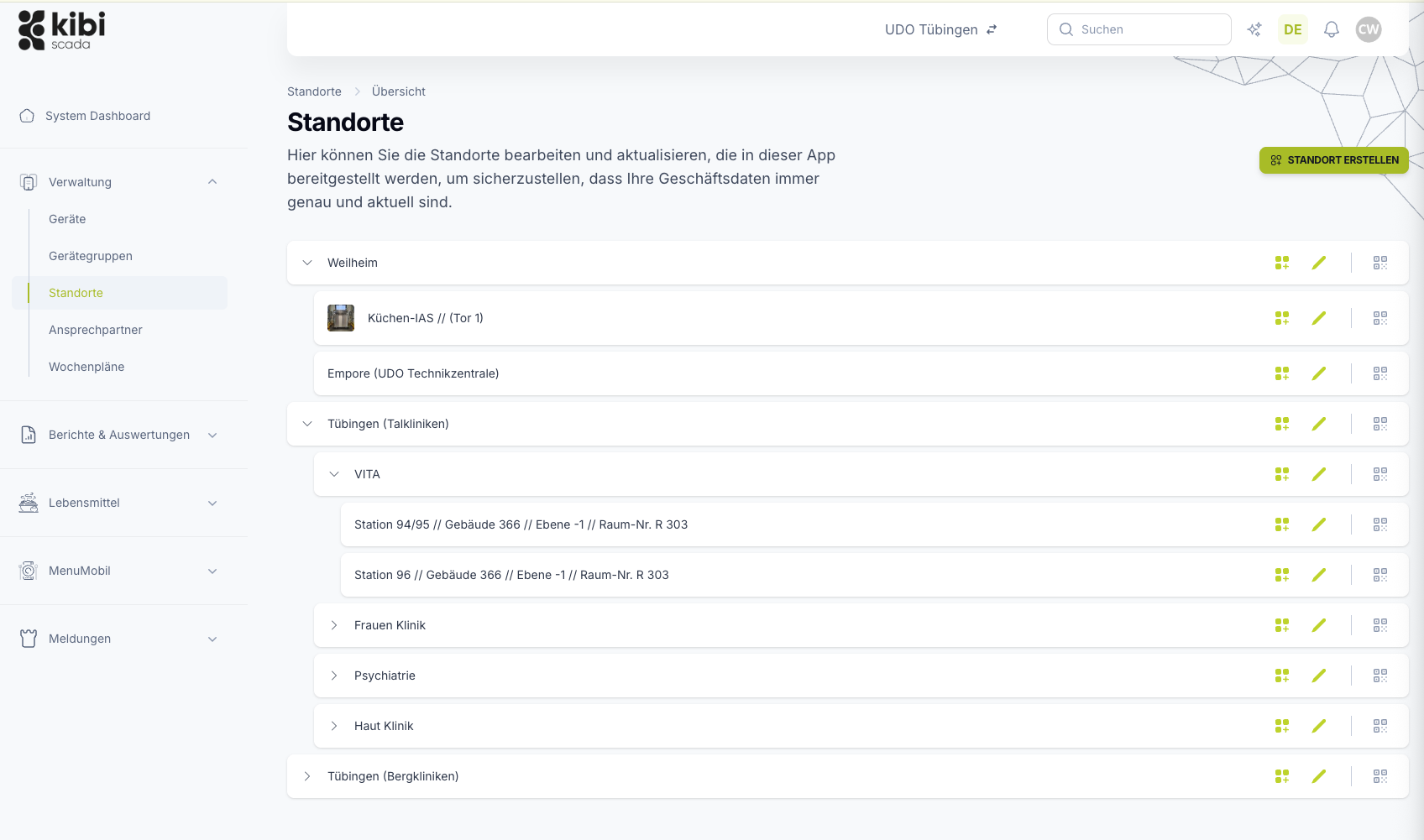
Multiple locations, one tenant structure – separate data, shared tools
Batch processing for configurations, weekly schedules, and reports across all locations
Role-based permissions and audit logs for clear accountability
Ausgangslage
Why multi-site operations become more complex than necessary
When multiple sites or customers come together, a simple location list is no longer enough. What’s needed is an operational model that allows for both separation and central control.
Growth creates administrative overhead instead of manageability
The more locations, teams, or customers you add, the faster Excel lists, rollout efforts, and coordination between local and central roles spiral out of control.
Data separation and centralized control collide
Service partners, franchise models, and hospital networks all need the same thing: clear separation of responsibilities while still having central tools for rollouts and analytics.
Keeping track of changes across multiple locations remains a challenge
When configurations, reports, or permissions are managed individually, the risk of inconsistencies increases. Scaling quickly becomes a source of errors.
Lösung durch Kibi Scada
How Kibi Scada turns multiple locations into a controllable system
The solution combines tenant logic, permissions, and batch capabilities in a way that ensures growth doesn’t lead to administrative overhead—but to manageable scaling.
Centralized control and local responsibility go hand in hand
The multi-tenant model keeps data neatly separated without losing central evaluation and action capabilities. This way, structure remains manageable—even across multiple locations.
Rollouts can be executed in a controlled manner across multiple targets
Batch processing reduces manual work while providing feedback per location or device. This makes scaling operationally robust.
Rights, changes, and responsibilities remain auditable
Who can view, edit, or roll out what remains clearly defined and traceable at all times. This is especially crucial for regulated organizations and service partners.
Ablauf im Betrieb
How multi-site operations are organized on the platform
Structure, permissions, and rollouts interlock in a clear process. This keeps even larger organizations operationally manageable.
Phase 01
01Structure your tenant
One tenant per organization. Locations, contacts, and device groups are created within it.
Phase 02
02Assign roles and permissions
Control roles to determine who can only view, acknowledge, or configure values. Service partners see only their client’s data per customer tenant—responsibilities are clearly separated.
Phase 03
03Scale actions
Configurations, weekly schedules, and reports are rolled out across multiple locations simultaneously via batch processing—every action is logged in the audit log.
Passende Bausteine
Which Kibi Scada modules support the solution?
Multi-site management isn’t just a single screen. It’s created through a control center, permission model, and cross-location analytics—all within the same platform.
Dashboard
The central overview makes multiple locations operationally manageable without losing local details.
Funktion ansehenReporting
Cross-location documentation and comparisons can be generated from a single structure.
Funktion ansehenSecurity
Roles, permissions, and data separation provide the organizational foundation for multi-site operations.
Funktion ansehenTypische Einsatzbilder
Where multi-site management reduces complexity the most
Wherever many buildings, teams, or customers come together on one platform, clear separation and central control are both essential.

Hospital network
Multiple hospital kitchens under one roof – location comparisons, shared reports, clearly defined responsibilities.

Branch kitchens
Identical configurations, regionally different menus – both possible within a single tenant.
Catering hubs
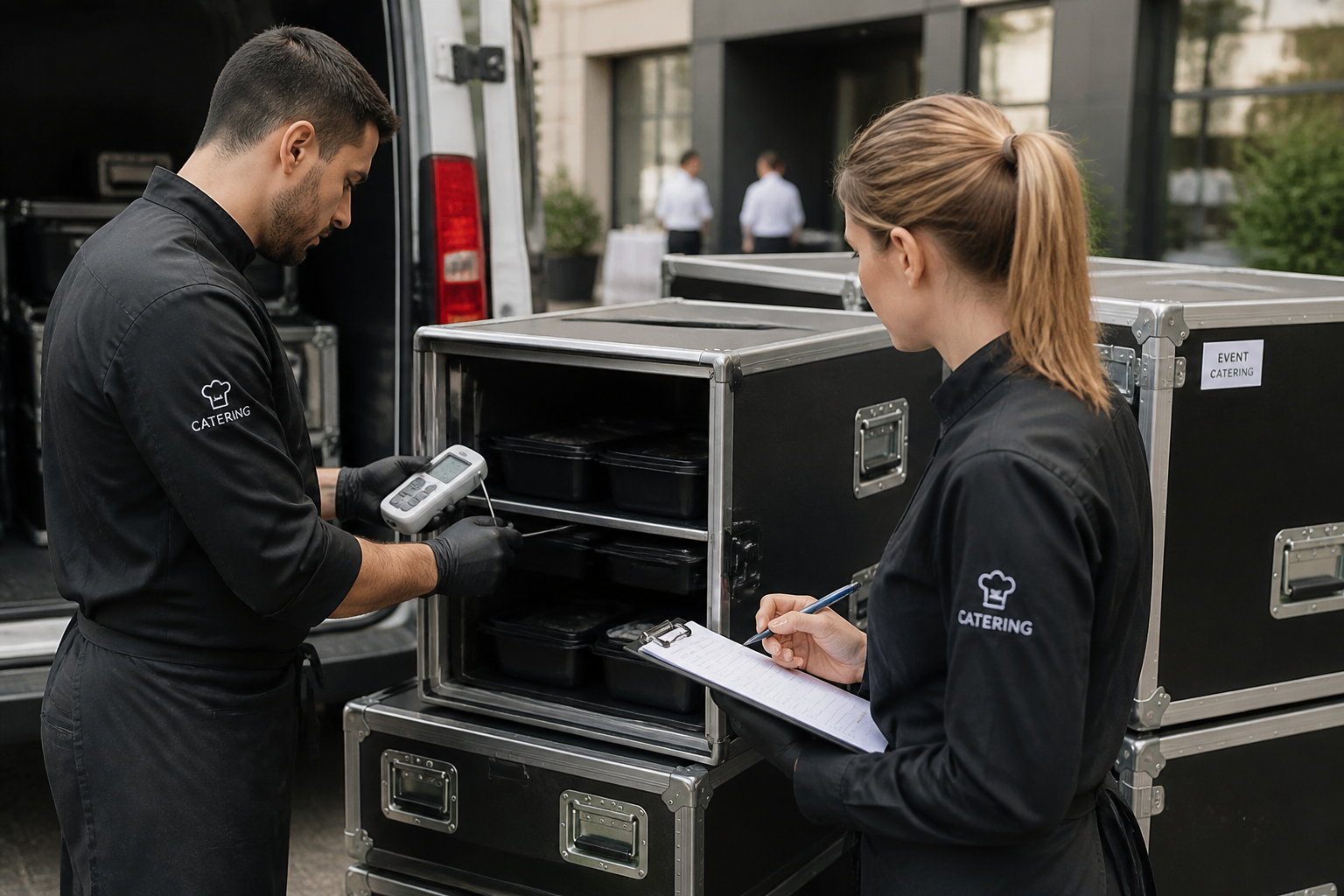
Branches, events, and mobile units in one structure—including multilingual operation for international teams.

Service Partners
Many customers, clear data separation, one interface for your own team – the multi-tenancy model makes it possible.
FAQ
Frequently Asked Questions About Multi-Site and Branch Management
How does Kibi Scada manage multiple locations?
Kibi Scada operates with a clear hierarchy: tenant, location, device group, device. Each tenant is cleanly separated in terms of data—essential for service partners with multiple customers, as well as for branch structures that want to keep data separate between sites.
What’s the difference from traditional multi-site monitoring?
Classic multi-site monitoring often only provides visual separation. The tenant model in Kibi Scada additionally separates permissions, configurations, reports, and audit logs completely—essential for service partners managing multiple customers simultaneously and regulated industries with strict data separation requirements.
How does batch processing work?
Configurations, weekly schedules, reports, and HACCP logs can be rolled out across multiple locations with a single click. In the respective overview, locations or devices are selected, an action is chosen, and the result is logged in the audit log—with success and error indicators for each target.
Can different locations have different configurations?
Yes. Standardized configurations can be centrally maintained and rolled out, while local deviations remain possible. For example, there’s a uniform reporting catalog, but each location can define its own escalation recipients.
What roles are available?
Roles can be freely configured. Typical roles include shift supervisor, kitchen manager, operations manager, service partner, and admin. Each role has granularly adjustable permissions and can be restricted to specific clients or locations.
Is everything audit-ready?
Yes. Every configuration change, every batch process, and every acknowledgment is documented in the audit log with the user, timestamp, and result. Reports can be exported for analysis—useful for internal compliance and as proof of service agreements for customers.
What does the service partner model look like?
A service partner's main tenant manages a separate tenant for each customer. The data is fully separated, but the team works from a single interface—with drill-down functionality from the service dashboard into individual customer tenants. Service contracts and contacts are maintained for each customer.
Want to realistically test your own network structure?
We’ll show you live how Kibi Scada organizes buildings, roles, and rollouts—so growth doesn’t turn into administrative chaos.

Persönlicher Ansprechpartner
Christofer Wesseling
Founder & Managing Director · Weslink GmbH
We show Kibi Scada live on your equipment, advise you personally on integration and onboarding, and support the rollout in your operation.
Last updated: