
Solution · Operational Safety
Operational safety across all locations
Kibi Scada consolidates live values, histories and alerts from all sites and manufacturers in a single shared view.
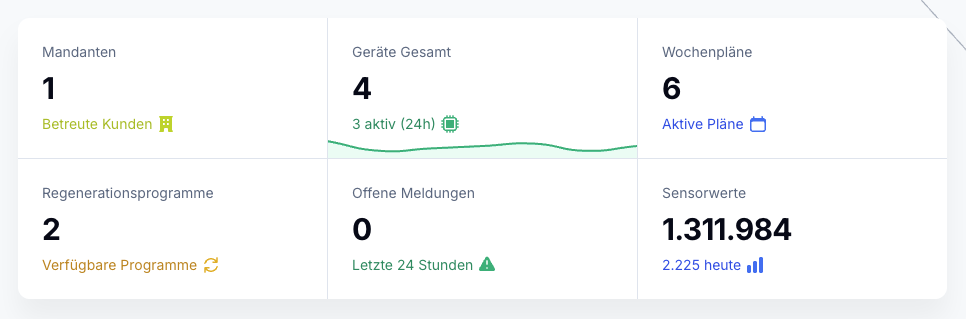
Live data and historical trends from all devices, sensors, and locations in one interface
Organized by location, device groups, and manufacturer – filterable in seconds
Six languages and a multi-tenant model for service partners and branch structures
Ausgangslage
Why monitoring in distributed organizations often remains unclear
The issue is rarely a lack of data collection, but rather a lack of consolidation. As soon as multiple manufacturers, roles, and locations are involved, monitoring quickly descends into fragmentation.
Data is trapped in manufacturer and location silos.
When every device ecosystem has its own interface, the organization-wide overview is lost. Teams jump between portals instead of working on a shared operational map.
Management and operations don’t see the same reality.
Without role-based views and drill-downs, monitoring either remains too broad for day-to-day use or too detailed for managing multiple locations.
Achieving consistency across locations requires extra effort.
Patterns, outages, and anomalies are often viewed locally. This means trends that only become truly visible in the big picture are missed.
Lösung durch Kibi Scada
What Kibi Scada does with distributed monitoring data
The solution transforms multiple individual views into a shared, role-based situational overview. This turns monitoring into a control tool instead of just a data collection system.
All locations are displayed on a shared map interface.
Kibi Scada consolidates live data, device status, and historical trends in a single view that remains consistent across manufacturers and locations.
Every role gets the right altitude
Shift supervisors, operations managers, and service partners all work on the same platform—but without the same overload. This keeps monitoring both in-depth and controllable.
History and live view seamlessly connect
Irregularities aren’t just spotted—they’re contextualized with history and background. That noticeably improves decision-making across multiple locations.
Ablauf im Betrieb
How Monitoring Works in Daily Operations
Locations, roles, and history come together in one interface. This turns real-time visibility into a process that delivers both orientation and comparability.
Phase 01
01Add locations and devices
Structure locations with contacts, add devices, and organize them into device groups—once properly maintained, usable everywhere.
Phase 02
02Role-based dashboard
Personalized views for each person and role. Shift supervisors see live data from their equipment, while management gets a multi-site overview.
Phase 03
03History and Analytics
Temperature logs, transmission logs, and reports make every location comparable over time – providing the basis for audits and decisions.
Passende Bausteine
Which Kibi Scada modules support this solution?
Cross-location monitoring is built on visibility, integration, and clean access logic. These functional building blocks form the foundation.
Dashboard
The central live view forms the backbone for cross-location monitoring.
Funktion ansehenIntegrations
Multiple manufacturers and sensor worlds are unified in a single data foundation.
Funktion ansehenSecurity
Tenants, roles, and permissions keep monitoring cleanly separated—even in complex structures.
Funktion ansehenTypische Einsatzbilder
Where cross-location monitoring matters
Four industries, each with their own site structure—but the same need for oversight, comparability, and clear accountability.

Hospitals
A central view of multiple kitchens, stations, and serving areas across a hospital network.

Large-scale kitchens
Complex kitchen setups with multiple appliance groups – live status and history by area.
Catering
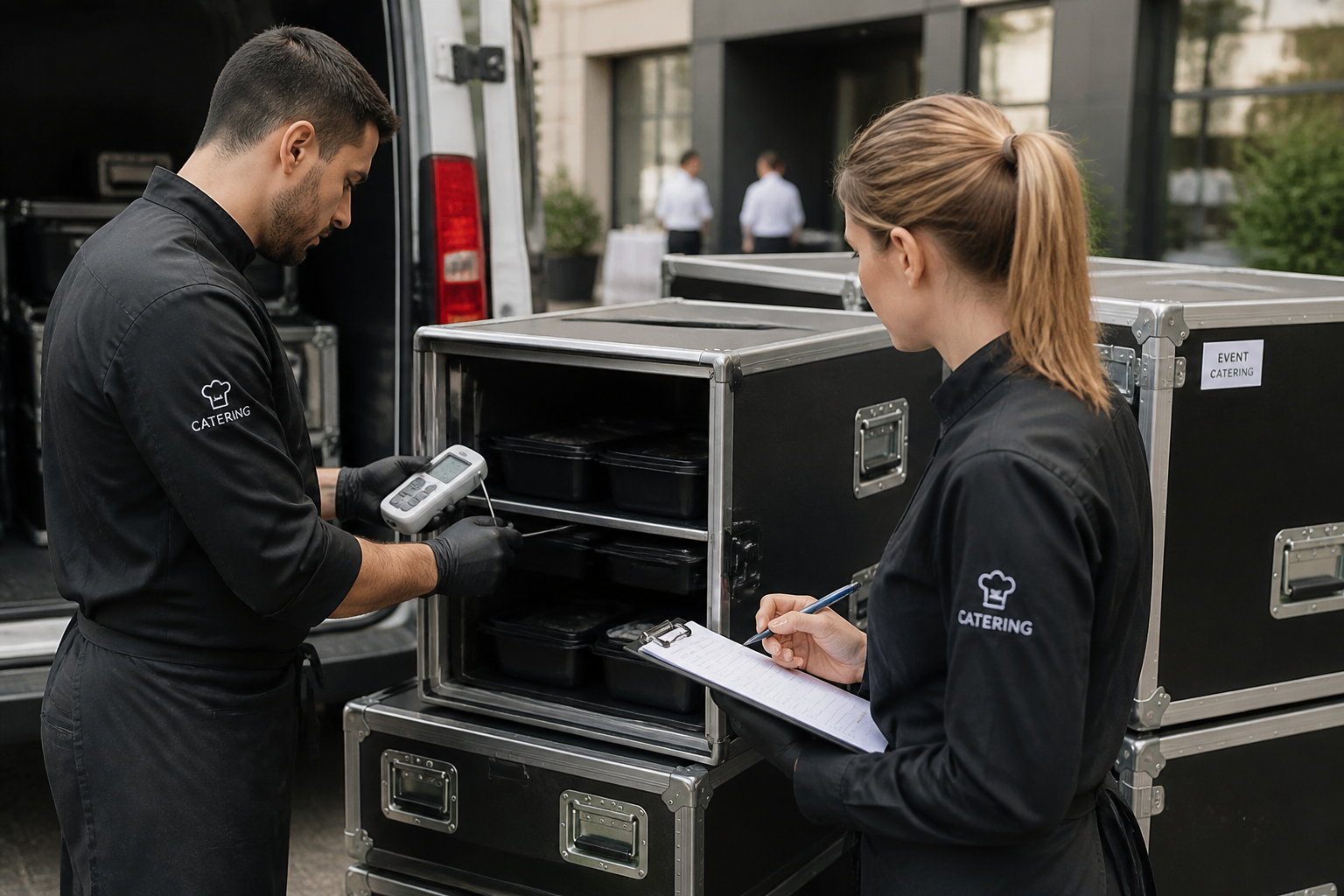
Mobile sites, event locations, and hubs on one platform – including voice output for international teams.

Service Partners
Multi-client model for service partners: multiple customer sites, clearly separated responsibilities, shared platform.
FAQ
Frequently Asked Questions About Cross-Location Operational Safety
How does Kibi Scada manage multiple locations?
The platform operates with a clear hierarchy: Tenant → Location → Device Group → Device. Each level is filterable, can have assigned contacts, and comes with its own roles. A service partner manages multiple customer locations within one tenant, while a chain business organizes its branches as locations under a shared tenant.
What data appears in the dashboard?
Real-time data from sensors and large kitchen appliances, connection status per device, current alerts and alarms, weekly schedules, report status, and escalation levels. The view is tailored for each role and location—shift supervisors see something different than operations managers.
Can you create custom dashboards?
Yes. Dashboards can be configured per role, location, and individual. Widgets for temperature overview, device status, notifications, energy consumption, or weekly schedule status can be selected and arranged individually.
How does multilingual support work?
Kibi Scada is available in German, English, Spanish, French, Italian, and Slovak. Each user selects their language, and reports can be exported in the respective language—essential for international catering, healthcare, and retail structures.
How long are monitoring data stored?
All measurement values, status data, and alarm logs are archived for at least three years in German data centers (Hetzner). Longer retention periods can be configured upon request. Historical data is always available for trend analysis, audits, and error diagnostics.
What happens if the internet goes down at the site?
Gateways buffer measurement data locally as soon as the connection is interrupted and automatically transmit everything once the cloud is reachable again. No data gaps occur. The dashboard transparently displays the connection status—including alerts for prolonged outages.
How do service contracts and permissions work?
Users have roles with granular permissions—read, acknowledge, configure, manage. For service partner models, you can create separate tenants per customer, maintain dedicated contacts, and manage service contracts. Every action is documented in the audit log.
See cross-location control on a real structure?
We’ll show you live how Kibi Scada turns multiple sites, device groups, and manufacturer ecosystems into one controllable overview.

Persönlicher Ansprechpartner
Christofer Wesseling
Founder & Managing Director · Weslink GmbH
We show Kibi Scada live on your equipment, advise you personally on integration and onboarding, and support the rollout in your operation.
Last updated: